
How to enable SPF, DKIM and DMARC in Plesk
SPF, DKIM and DMARC help prevent email spoofing and improve deliverability.
1. Enable DKIM for a domain
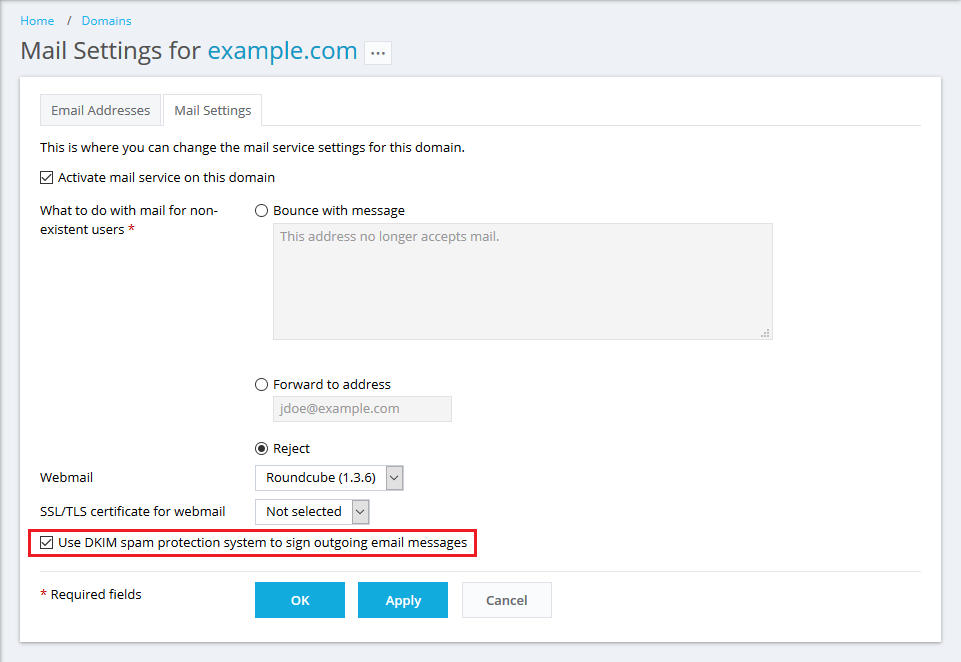
- Go to Websites & Domains → your domain → Mail → Mail Settings.
- Check Use DKIM spam protection system to sign outgoing email messages.
- Click OK or Apply.
If Plesk manages the DNS, it automatically adds the required DKIM records.
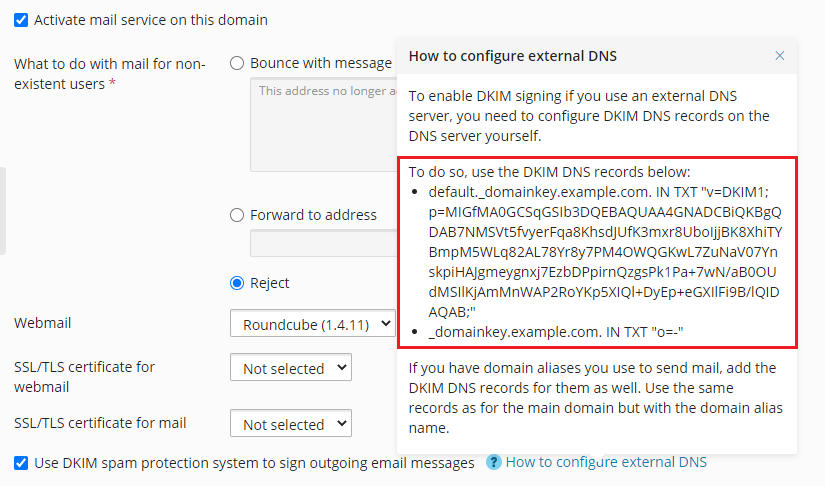
If you use an external DNS server, click How to configure external DNS and add the two TXT records it shows you.
2. SPF record
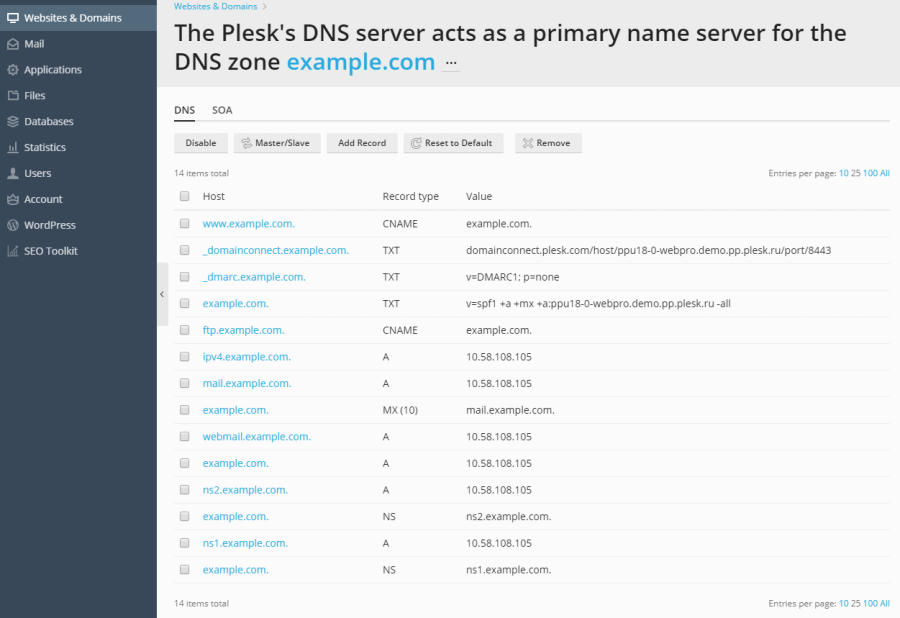
Plesk usually creates an SPF record automatically. You can check/edit it in DNS Settings.
Example:
v=spf1 a mx -all
Or more specific:
v=spf1 a mx ip4:YOUR.SERVER.IP -all
3. DMARC record
Add a TXT record in DNS Settings:
- Host / Domain:
_dmarc - Type: TXT
- Value:
v=DMARC1; p=none(start with p=none, later change to quarantine or reject)
Server-wide settings (admin)
Go to Tools & Settings → Mail Server Settings and make sure:
- DKIM: Allow signing outgoing mail is enabled
- SPF spam protection is enabled (Linux)
- DMARC to check incoming mail is enabled (Linux)
