How to create a scheduled task in Plesk
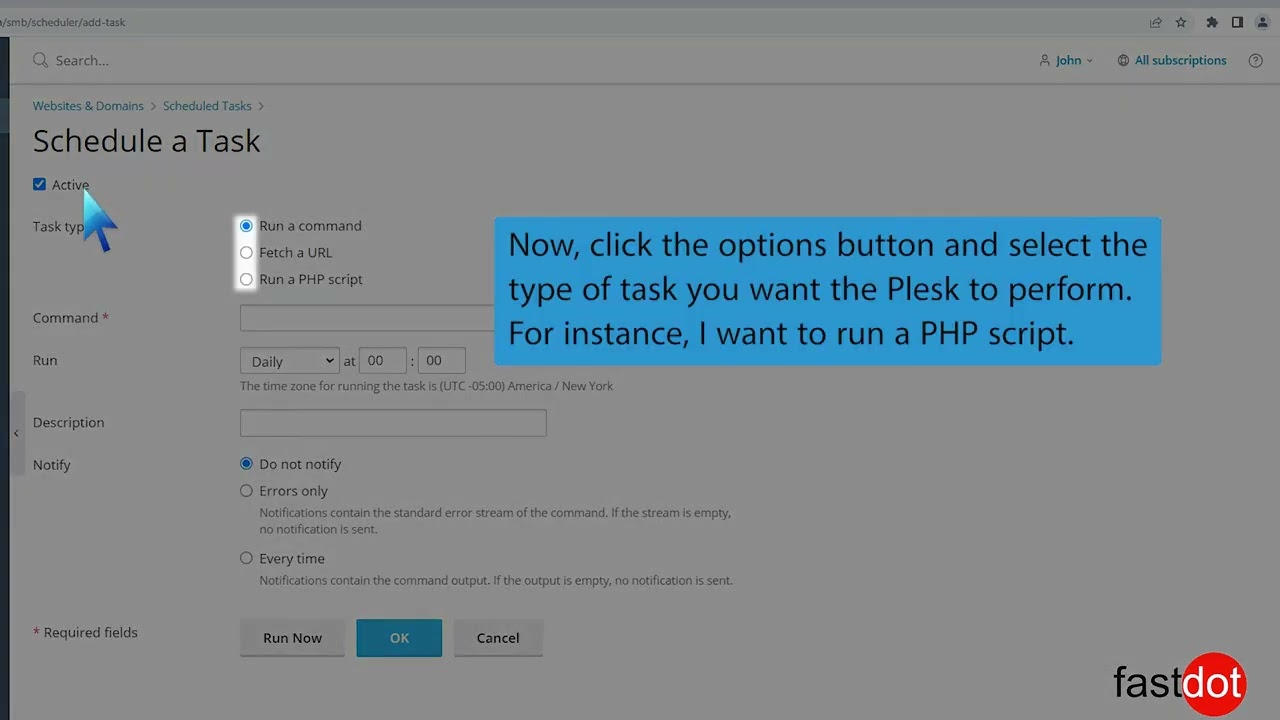
- Open your domain and click Scheduled Tasks.
- Click Add Task.
- Choose task type (Run a command, Fetch a URL, Run a PHP script).
- Set the schedule and click OK.

How to change PHP version and settings in Plesk Open your domain and click PHP Settings....
How to install a free SSL certificate in Plesk Open your domain and go to Let's Encrypt /...
How to use WordPress Toolkit in Plesk Manage WordPress installations, plugins, themes, security...
How to find FTP credentials in Plesk Open your domain and click Connection Info. View the...
Plesk Extensions Catalog Install and manage extensions from the Extensions Catalog.
Copyright © 2026 Lionhost Premium Services. All Rights Reserved.
Reliable hosting with human support, wherever your business is headed.
Copyright © 2026 Lionhost Premium Services. All Rights Reserved.
New products, freebies, and news — straight to your inbox.
Reliable hosting with human support, wherever your business is headed.
Copyright © 2026 Lionhost Premium Services. All Rights Reserved.
