
LionCloud VPS Control Panel overview
The LionCloud panel appears in the Client Area when you open a VPS from your Services. It lets you control your server without SSH.
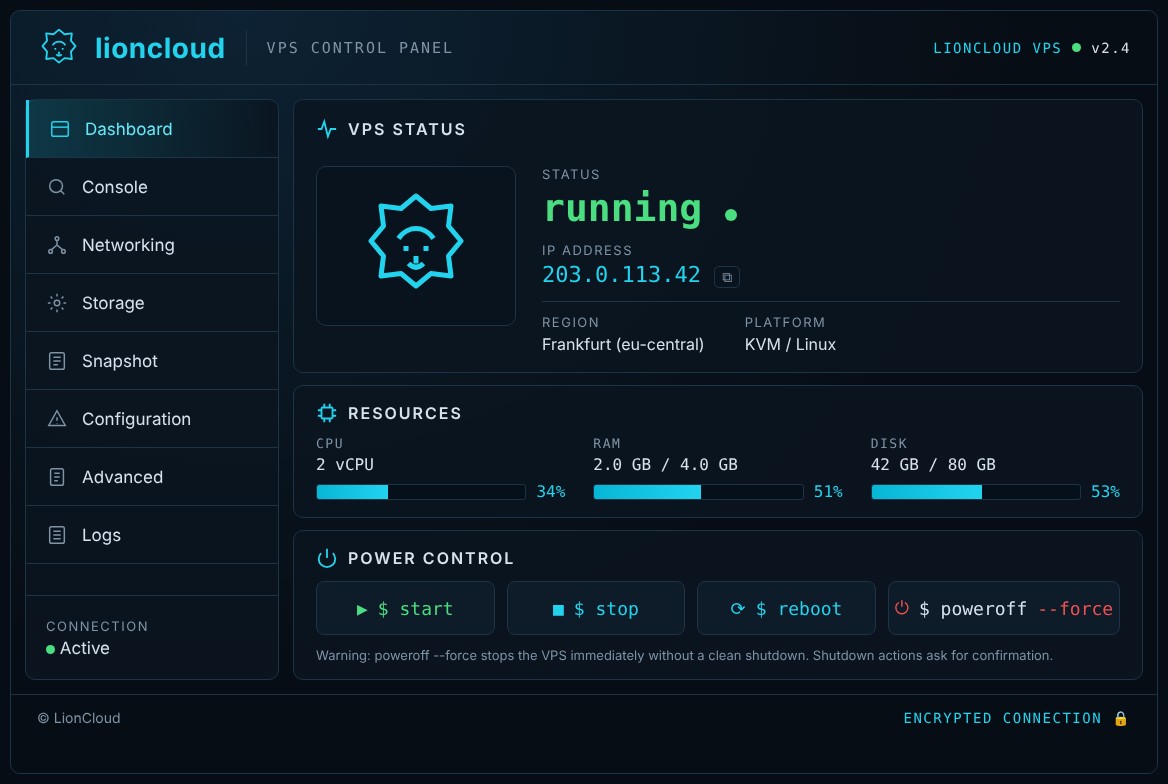
What the main screen shows
- VPS status: whether the server is running or stopped, its IP address (with a copy button), region and platform.
- Resources: live CPU, RAM and disk usage.
- Power control: the
start,stop,rebootandpoweroff --forcebuttons.
The left menu
Dashboard, Console (VNC), Networking, Storage, Snapshot, Configuration, Advanced (reinstall, rescue, root password) and Logs.
See also: “How to start, stop and restart your VPS”, “How to open the VNC console”, “How to reinstall the operating system”, “Rescue mode”.
