
Start, stop, restart and power off
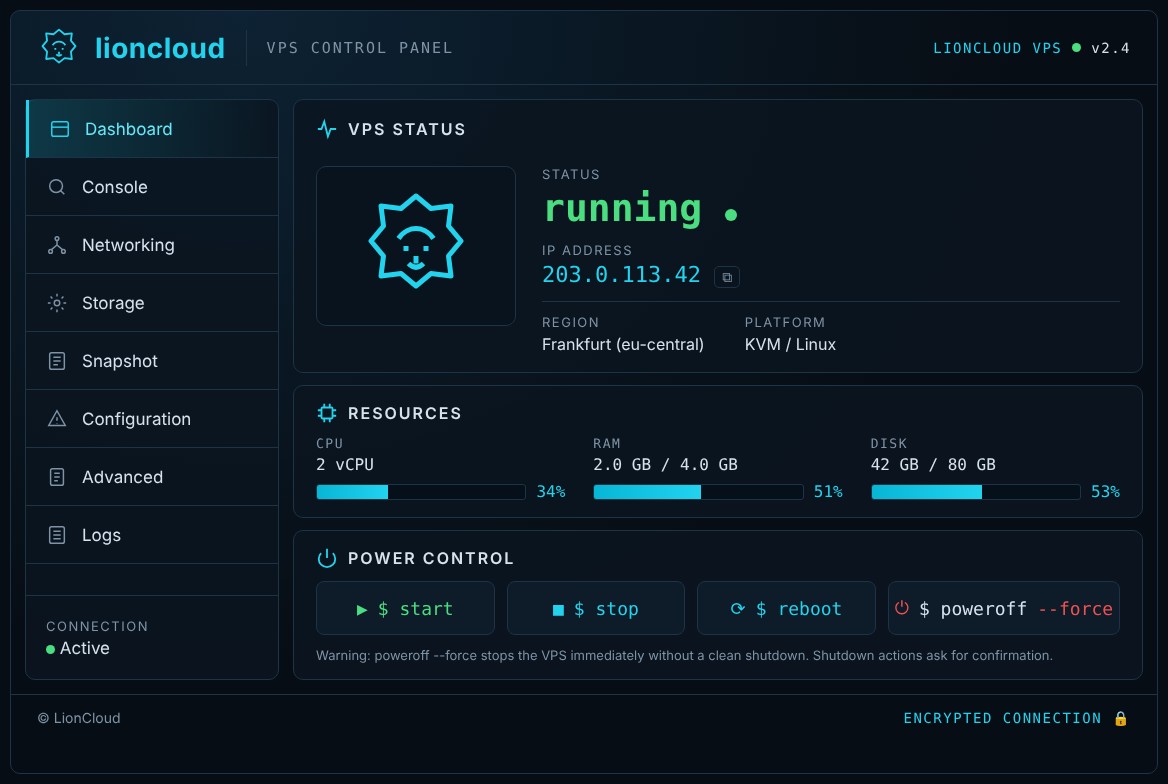
Power actions are in the Power control section of the Dashboard.
- Open the VPS from Services → My Services.
- On the Dashboard, scroll to Power control.
- Click the action you need and confirm when asked.
- The Status at the top updates within a few seconds (e.g. from running to stopped).
Which button to use
$ start: starts the server when it is stopped.$ stop: graceful shutdown. The operating system closes its services properly.$ reboot: restart. Use it after configuration changes or when something hangs.$ poweroff --force: forced power off, like pulling the plug. Only use it when the server does not respond at all andstopdoes not work, because unsaved data can be lost.
Tip: if the server does not answer on SSH, open the Console first to see what is happening before forcing a power off.
