
Rescue mode: how to recover a VPS that does not boot

Rescue mode

Rescue mode boots your VPS into a temporary, safe recovery system. From there you can access your disk and fix files when the server does not start normally.
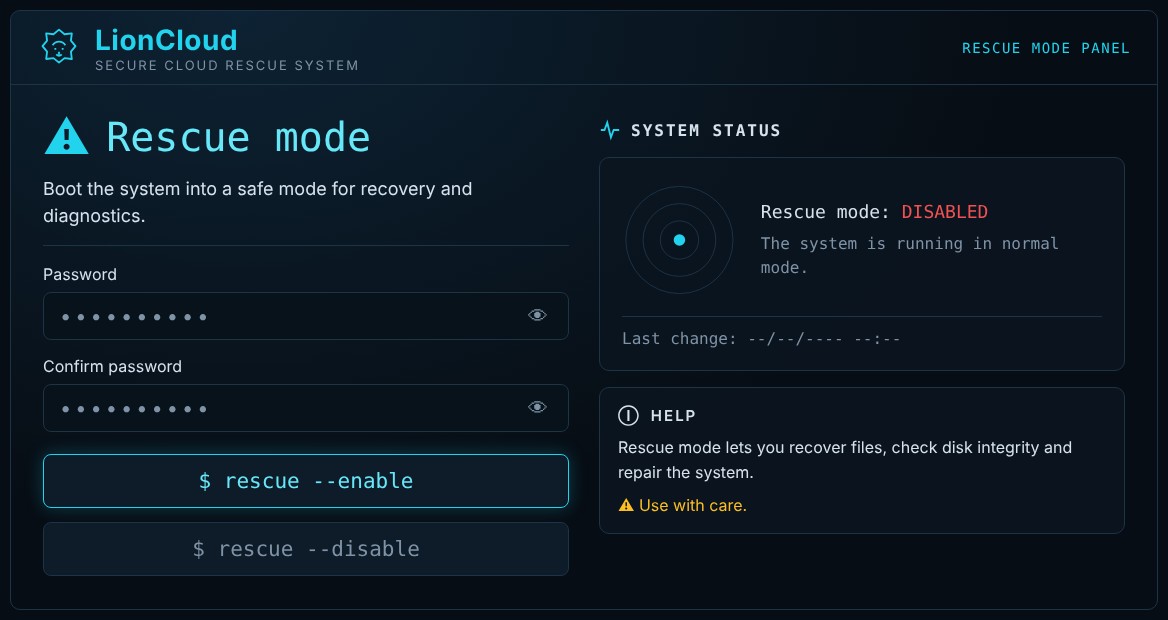
LionCloud rescue mode

Enable

  1. Open the VPS and go to Advanced → Rescue mode.
  2. Enter a password in Password and again in Confirm password. This is the password of the rescue system.
  3. Click $ rescue --enable. System status shows ENABLED and the server restarts.
  4. Connect over SSH to the same IP as root with the rescue password.
  5. Mount your disk (e.g. mount /dev/vda1 /mnt) and fix what you need.

Disable

When you are done, click $ rescue --disable. The server boots normally from its own disk again.

Note: while rescue mode is on, your websites and services are not running.

  • rescue, rescuemode, ανάκτηση, recovery, vpsδενξεκινά, boot, fsck, lioncloudrescue
  • 0 Users Found This Useful
Was this answer helpful?

Related Articles

How to reset the root password of your VPS

Reset the root password If you forgot your root password, you can set a new one from the panel....

How to reinstall the operating system (Reinstall OS)

Reinstall the operating system ⚠ Warning: reinstalling erases ALL data on the disk and cannot be...

How to open the VNC console of your VPS

VNC console The console gives you the server’s “screen” in your browser. It works even when SSH...

How to start, stop, restart and power off your VPS

Start, stop, restart and power off Power actions are in the Power control section of the...

LionCloud VPS Control Panel overview

LionCloud VPS Control Panel overview The LionCloud panel appears in the Client Area when you open...