
How to whitelist or blacklist an IP in LSF

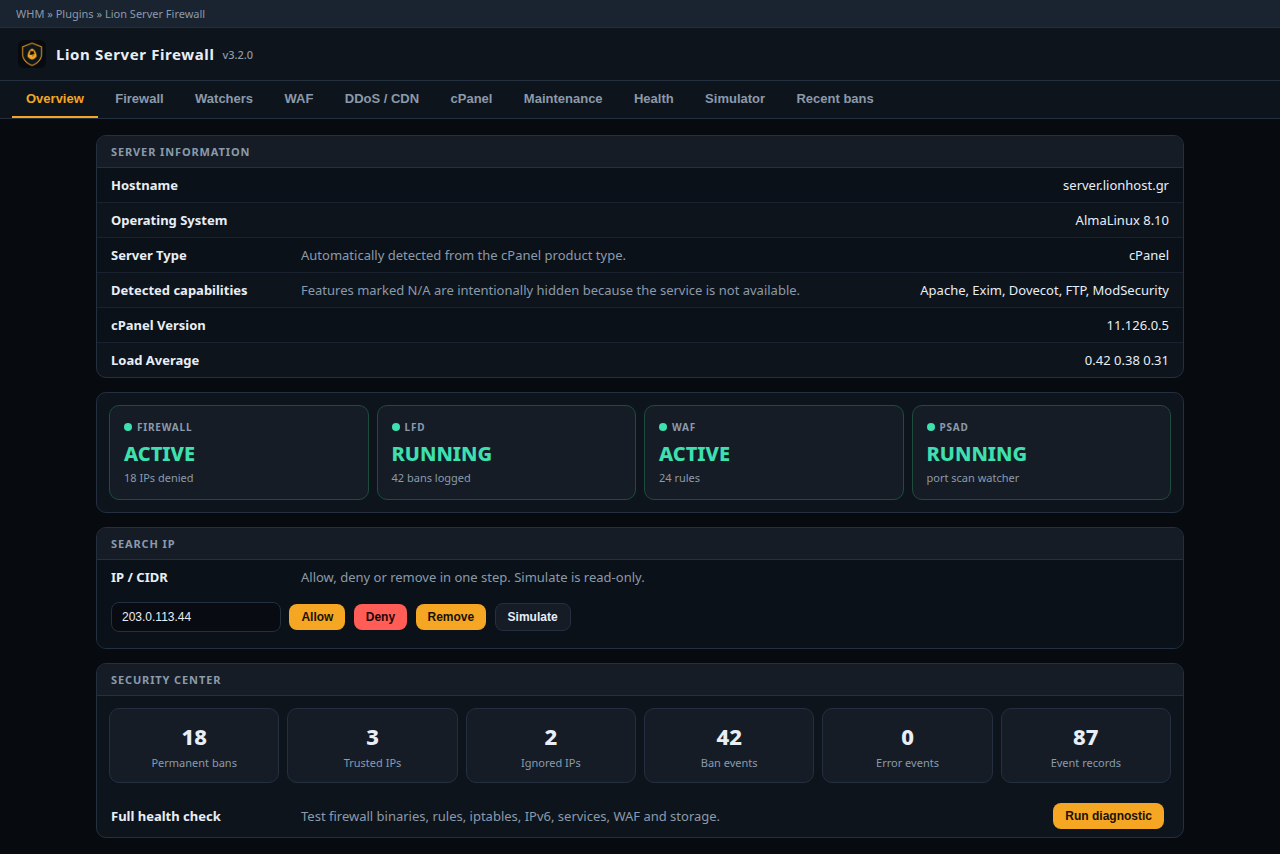
WHM → Lion Server Firewall → Overview or Firewall → IP / CIDR.

  • Allow — permanent trust (/etc/lsf/lsf.allow). Beats deny, blocklist and GeoIP.
  • Deny — permanent block (/etc/lsf/lsf.deny).
  • Remove — drop from both lists.
  • Simulate — read-only decision.

IPv4, IPv6 and CIDR are accepted.

lsf -a 203.0.113.10 "office"
lsf -d 198.51.100.4 "abuse"
lsf -r 198.51.100.4
lsf -ta 203.0.113.10 7200
lsf --ignore-add 203.0.113.10 "scanner"

Temporary entries expire only if lsf-reaper.timer is running. Ignore means “never auto-ban”; it does not open ports.

Allow Deny Remove

  • lsf, firewall
  • 0 Users Found This Useful
Was this answer helpful?

Related Articles

GeoIP country blocking in LSF

CC_DENY="CN,RU,KP" CC_ALLOW="GR,CY,DE" CC_DENY drops all inbound from those countries. CC_ALLOW...

LSF WAF false positive

LSF does not replace WHM → ModSecurity Vendors (OWASP CRS / Atomicorp). It loads a supplementary...

LFD and PSAD — brute force and port scans

LFD watches SSH, FTP, mail, Exim, cPanel and ModSecurity failures. Default: 5 hits in 300 seconds...

Which ports does Lion Server Firewall open

Default TCP_IN: 20, 21, 22, 25, 26, 53, 80, 110, 143, 443, 465, 587, 993, 995, 2082, 2083, 2086,...

Locked out of the server by LSF

TESTING mode: wait up to 5 minutes for the auto-flush. Lionhost KVM / VNC / IPMI as root: lsf...