
Create a customer cPanel account

WHM → Account Functions → Create a New Account.

1. Main fields

  1. Domain — customer primary domain, no www.
  2. Username — 3–8 lowercase letters/numbers. Cannot be renamed later.
  3. Password — use Generate. Send it on a private channel.
  4. Email — the account owner.
  5. Package — the package you created first.
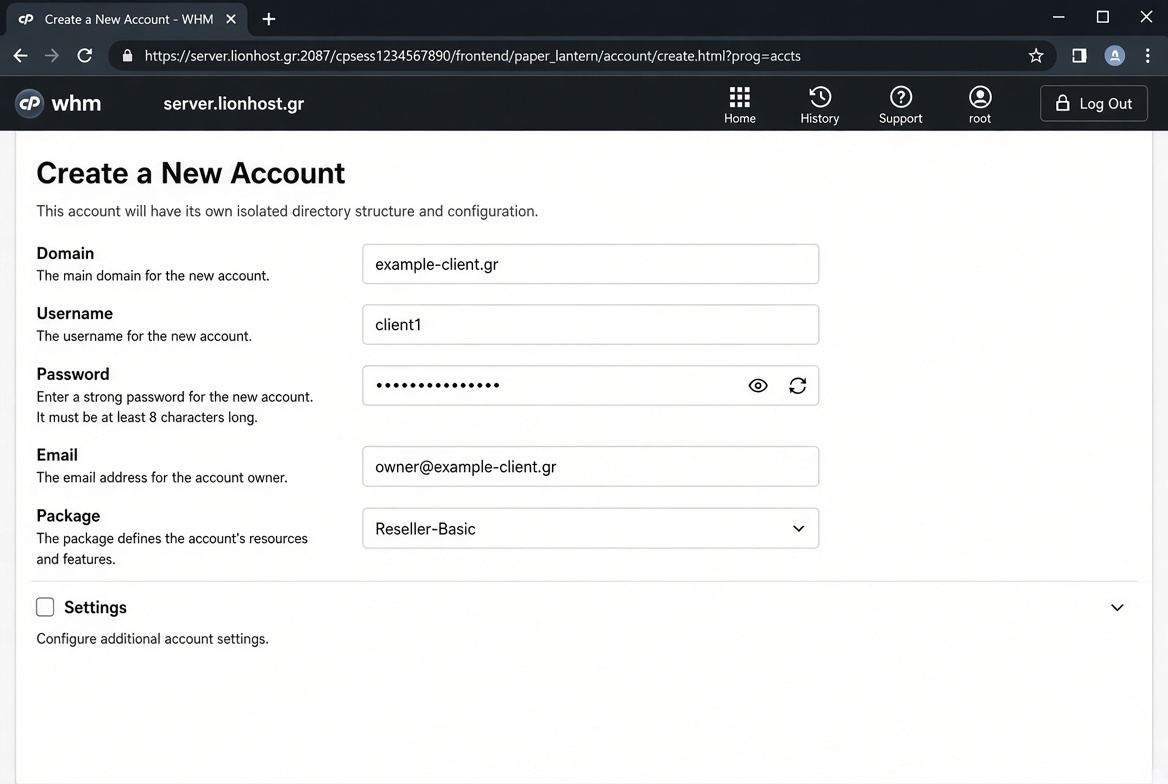
Create a New Account main fields

2. Settings

Expand Settings before Create. Leave Reseller privileges off unless the customer is also a reseller. Set Lionhost or private nameservers. Mail Routing Local if mail stays on this server.
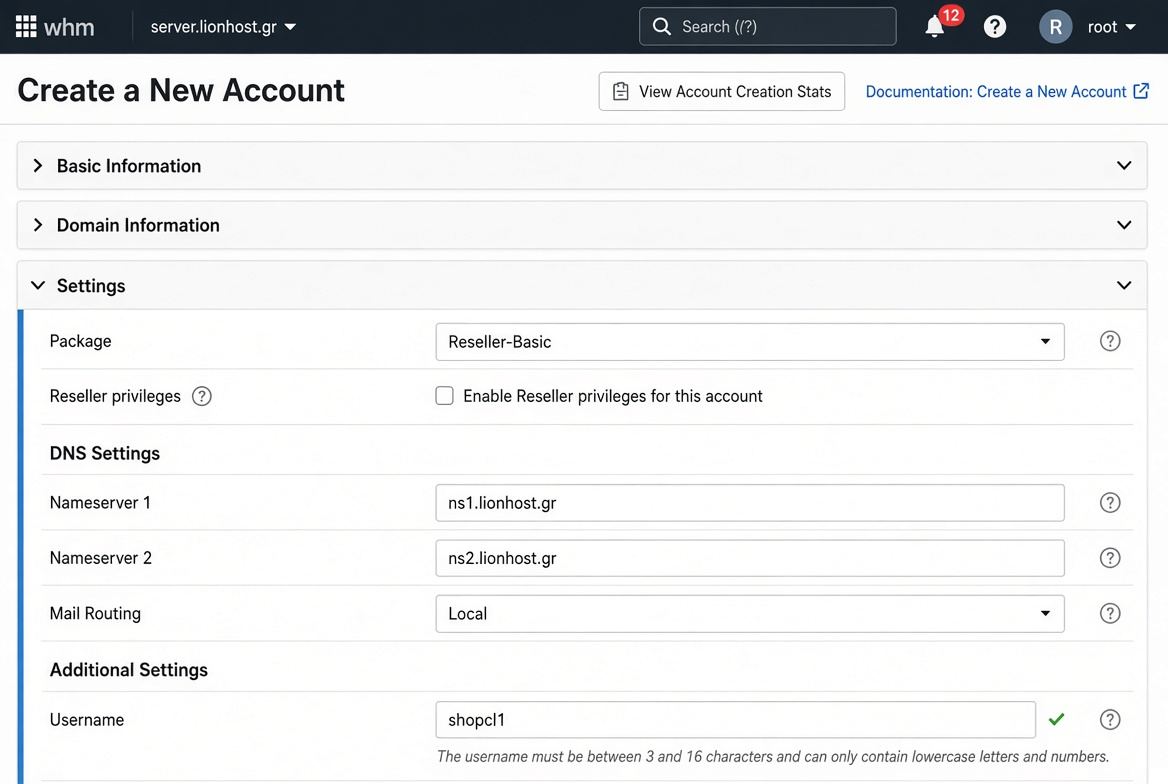
Settings package nameservers mail routing

3. Success

Green Account Creation Complete. Note username, IP and nameservers. Use Log in to cPanel from this page.
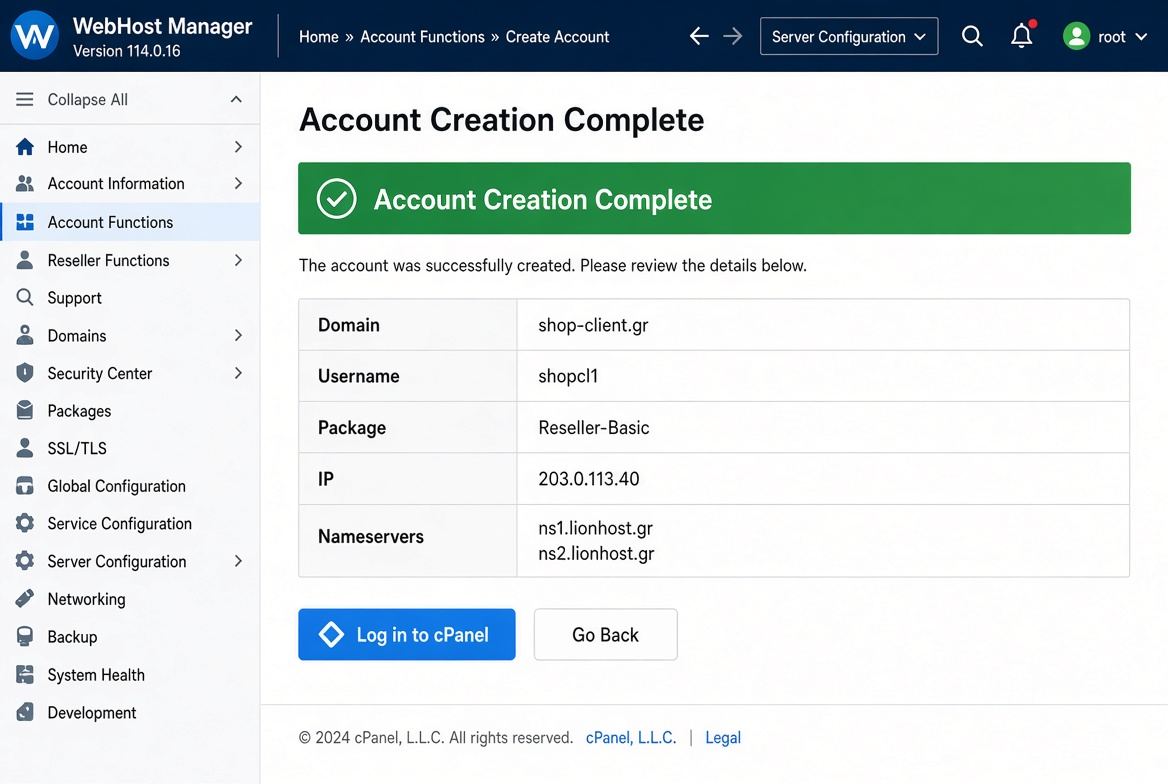
Account Creation Complete

4. Common error

If the domain already belongs to another account, WHM refuses creation. Change the domain or remove it from the old account first.
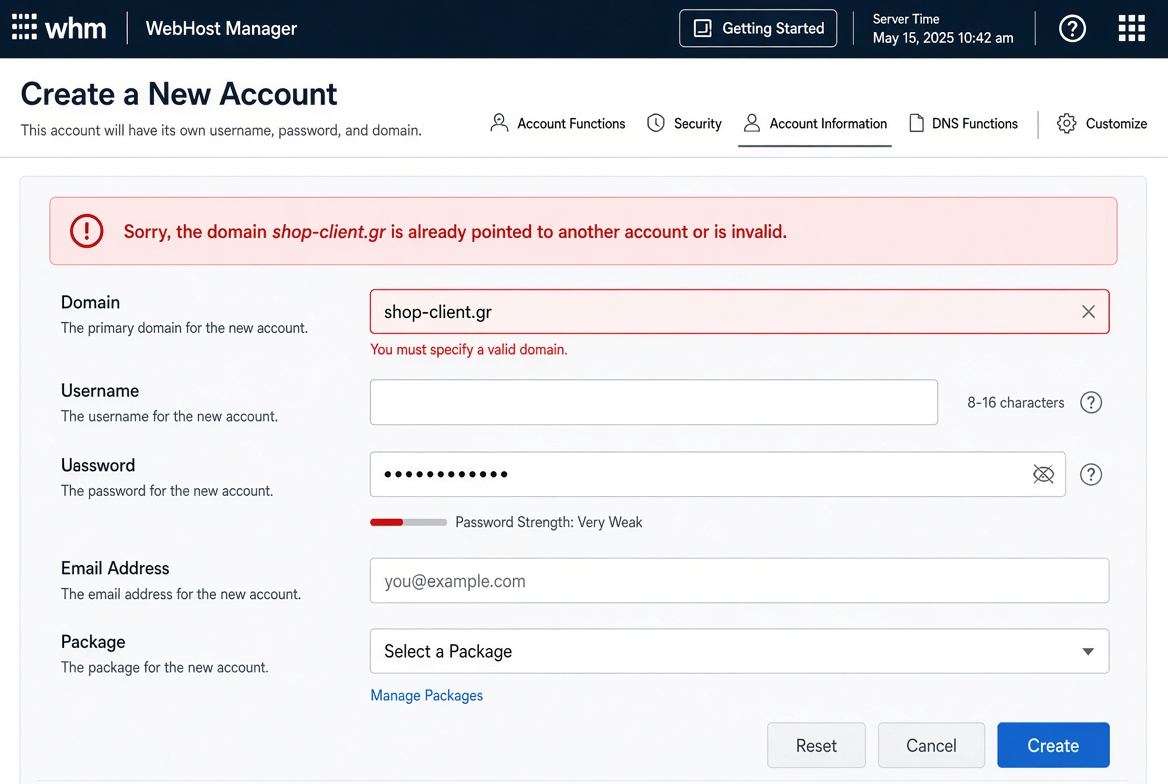

Domain already pointed error

  • reseller, account
  • 0 Users Found This Useful
Was this answer helpful?

Related Articles

Back up customer accounts

Use WHM account backup where available, and tell customers to download their own cPanel Full...

AutoSSL for customer accounts

AutoSSL runs per account. Failures are usually DNS or Cloudflare orange-cloud. Commercial certs...

Reseller nameservers

Private ns1/ns2 need registrar glue, A records, and WHM nameserver settings if Lionhost enabled...

Open a customer cPanel from WHM

List Accounts → cPanel icon logs you in as that user. Use it for support, not to change passwords...

Suspend and terminate accounts

Suspend keeps data and blocks login/site/mail. Terminate deletes everything — backup first, no...